Design System
Live design system for the GSM website mockup at gsm.clientportals.vip/website/. All values are confirmed from the implemented codebase — this document reflects what is actually built, not a proposal.
Design Direction: Industrial Ocean
Deep navy ground. Teal accent reads technology-forward without veering nautical-cliche. Gold for high-emphasis CTAs and certification callouts. Every decision calibrated for a B2B buyer evaluating a development partner, not buying off a shelf.
| Attribute | Value | Status |
|---|---|---|
| Pages built | 6 website pages + 3 legal pages (9 total) | Live |
| Color palette | 10-token dark system — ink, depth, surface, edge, border, teal, gold, fog, mist, white | Confirmed |
| Primary font | Barlow 400/600/700 (body, nav, UI) | Confirmed |
| Display font | DM Serif Display (homepage H1 only) | Confirmed |
| Label / mono font | Barlow Condensed 400/600/700 (eyebrows, tabs, stats) | Confirmed |
| Button variants | btn-teal (filled), btn-gold (filled), btn-ghost (white outline), nav-cta (teal outline) | Confirmed |
| Animations | logo-spin 8s propeller, marker-pulse 2.8s eyebrow dots | Confirmed |
| Mobile nav | Hamburger overlay, hidden ≤768px breakpoint | Confirmed |
| Video heroes | Client-supplied MP4s — portfolio, services, products | Confirmed |
Positioning Pillars
Three pillars drive every copy and design decision on the GSM mockup.
CSS Custom Properties
All 10 tokens are defined on :root in each page's inline <style> block. No shared CSS file — each page is self-contained.
Content sections (portfolio grid, services body, products grid, contact form) use a light ground — hardcoded, not tokens.
| Purpose | Value |
|---|---|
| Light section background | #EEF5F9 |
| Light section border | #BDD4E4 |
| Light card background | #FFFFFF |
| Light primary text | #020C18 |
| Light secondary text | #2D526A |
| Light teal (on light) | #00725A |
--teal-dim:#00251E, --teal-mid:#005C4B, --gold-dim:#2A1E06.Type Stack
Three font families loaded via Google Fonts. All are confirmed from the website implementation.
Engineered to Perform.
| Role | Family | Weight | Size | Notes |
|---|---|---|---|---|
| Homepage H1 | DM Serif Display | 400 | clamp(3.2rem,7vw,6rem) | Italic em → teal; homepage only |
| Inner page H1 | Barlow | 700 | clamp(2rem,4vw,3.2rem) | letter-spacing -0.025em |
| Section H2 | Barlow | 700 | 1.4–1.5rem | letter-spacing -0.01em |
| Card/CTA H3 | Barlow | 700 | 1.1–1.4rem | Normal tracking |
| Body | Barlow | 400 | 18px base (0.85–1rem) | line-height 1.6–1.8 |
| Eyebrow / label | Barlow Condensed | 700 | 0.65–0.72rem | UPPERCASE, letter-spacing 1.6px |
| Stat figure | Barlow Condensed | 700 | 3.5–3.8rem | letter-spacing -0.02em |
| Nav link | Barlow | 600 | 0.82rem | Normal tracking |
| Small / caption | Barlow / Barlow Condensed | 400–700 | 0.6–0.78rem | Context-dependent |
Keyframe Animations
Two global animations used across all pages. Both are defined inline in each page's style block.
| Name | Keyframes | Timing | Applied To |
|---|---|---|---|
| logo-spin | to{transform:rotate(360deg)} | 8s linear infinite | .nav-logo img, .footer-brand img — the propeller SVG in nav and footer |
| marker-pulse | 0%/100%: opacity 1, teal glow 50%: opacity 0.45, no glow |
2.8s ease-in-out infinite | .hero-line, .page-eyebrow-line, .cta-eyebrow::before — the 6px teal dot on eyebrow labels |
| ticker-scroll | from:translateX(0) to:translateX(-50%) | 90s linear infinite | .ticker-track.go — homepage ocean ticker only; pauses on hover |
| pulse-dot | 0%/100%: opacity 1, scale 1 50%: opacity 0.4, scale 0.7 |
2.4s ease-in-out infinite | .ticker-pre::before — live indicator dot in homepage ticker |
Component Library
All components implemented in the current website mockup. Each is defined as inline CSS in the relevant page file.
| Class | Background | Border | Text | Use |
|---|---|---|---|---|
| .btn-teal | #00C8A0 | #00C8A0 | #020C18 | Homepage hero primary CTA |
| .btn-gold | #C9A84C | #C9A84C | #020C18 | Inner page CTA sections |
| .btn-ghost | transparent | #EAF4FF | #EAF4FF | Secondary hero action |
| .nav-cta | transparent | #00C8A0 | #00C8A0 | Nav "Request Quote" — all pages |
| Element | Class | Behavior |
|---|---|---|
| Site nav | .site-nav | Fixed z-index:200, backdrop-blur, dark bg at 92% opacity |
| Logo | .nav-logo img | Spinning propeller SVG (logo-spin 8s). Teal fill. 30px height. |
| Nav links | .nav-link | Hidden at ≤768px. Active page gets .active → teal color. |
| Burger button | .nav-burger | 3-line icon, visible only ≤768px. Toggles .nav-mobile.open. |
| Mobile overlay | .nav-mobile | Fixed full-screen dark overlay with links. Closes on backdrop click, Escape, or link tap. |
| Variant | Page | Background | Notes |
|---|---|---|---|
| Full video hero | index | MP4 video, brightness(0.35), gradient overlay | 90vh min-height. Caustics SVG overlay at 11% opacity. Ocean ticker bar at bottom. |
| Video page header | portfolio, products, services | MP4 video, brightness(0.28) | 420px height. Hero text left-aligned, full width. |
| Dark gradient header | about, contact, legal pages | linear-gradient(160deg, --depth, --ink) | Same page-header CSS class, no video element. |
| Class | Marker | Use |
|---|---|---|
| .hero-eyebrow | 6px teal square via .hero-line (pulsing) | Homepage hero section label |
| .page-eyebrow | 6px teal square via .page-eyebrow-line (pulsing) | Inner page hero section label |
| .cta-overline | 6px teal square via ::before pseudo (pulsing) | Homepage "What We Build" eyebrow |
| .cta-eyebrow | 6px teal square via ::before pseudo (pulsing) | Inner page CTA section label ("Work With Us", "Start a Project") |
JS toggles .active on both the tab and the matching .prod-category div (display:none/block). First panel shown by default on load.
All inner page CTAs use a dark panel (background:#1A3D5A) inside the light section. Pattern: eyebrow → H3 → body copy → btn-gold.
Homepage-only light section (background:#EEF5F9) with 3 instrument-panel stat items. Large Barlow Condensed 700 numbers. ".spec-unit" in teal, ".spec-sub" body text in steel blue.
Brand Mark
The GSM wordmark uses Barlow 700. The icon is a propeller SVG that spins 360° over 8 seconds in both the nav and footer.
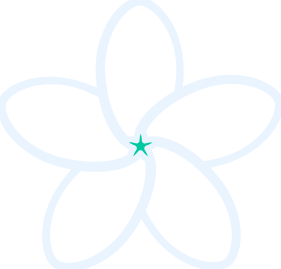 Green Star Marine
| Attribute | Value |
|---|---|
| File | ../assets/header-logo-9f2a1fee.svg |
| Fill color | #00C8A0 (--teal) — changed from original #DCFCEF |
| Display size (nav) | height:30px; width:auto |
| Display size (footer) | height:24px; width:auto |
| Rotation | animation:logo-spin 8s linear infinite on the <img> element |
| Shape | Multi-blade propeller — 4-petal radial form, 281×269px viewBox |
| Wordmark font | Barlow 700, 1rem, color:var(--white) |